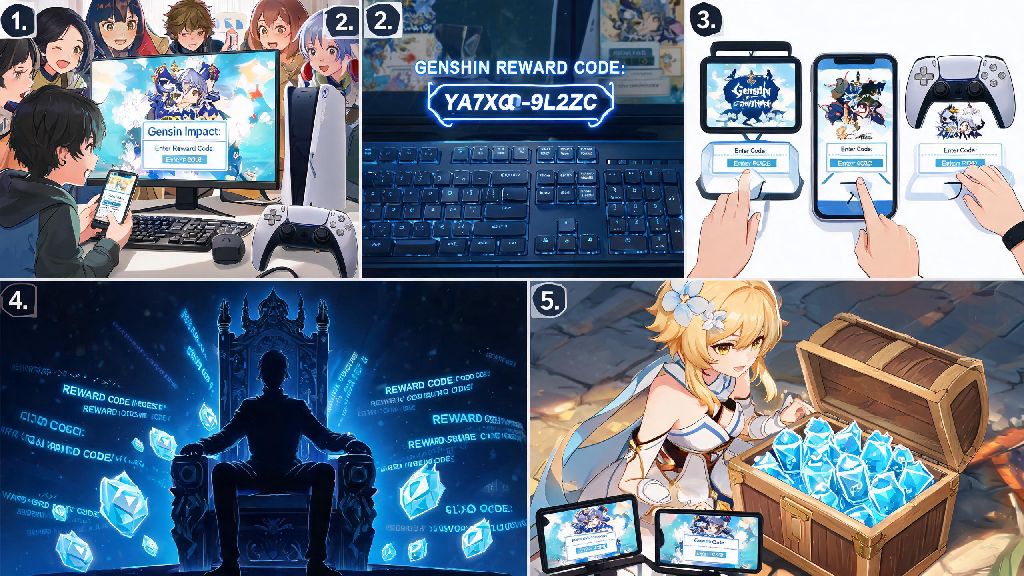
If you’ve spent even a few months playing Genshin Impact, you know primogems feel like they’re always in short supply. Whether you’re saving for a limited 5-star character, pulling for a new signature weapon, or just want extra mora to level up your team, free reward codes are one of the easiest ways to stock up on resources without spending real money. If you’re new to the process, you might be asking how do you put in codes in Genshin Impact without running into annoying errors that make you miss out on limited-time rewards. I’ve redeemed over 40 codes across PC, mobile, and PS5 over the past three years, so I’ve broken down every step, platform quirk, and common mistake to help you get your rewards in 60 seconds or less.
How Do You Put in Codes in Genshin Impact for All Supported Platforms
The redemption process varies slightly depending on what device you play on, but there are a few universal rules you need to follow first, no matter what platform you use. Skip these steps and you’ll almost certainly run into errors that waste your time or make you lose out on rewards entirely.
For PC and mobile players, the fastest redemption method is the official HoYoverse code redemption website. You need to be logged into the correct HoYoverse account on your browser first before you start. Once logged in, select your server from the dropdown menu, enter your in-game character nickname, paste the active code into the designated box, and hit the redeem button. You’ll get a pop-up confirmation if the code works, and the rewards will be sent directly to your in-game mail within five minutes. I once lost out on a 300 primogem livestream code last year because I forgot to check my server before hitting redeem, so I always double-check that dropdown now, no exceptions.
If you prefer to redeem codes directly in-game, open the Paimon menu by tapping the Paimon icon on mobile or hitting ESC on PC. Navigate to the Settings menu, select the Account tab, then click the Redeem Code button. Paste your code into the box, hit confirm, and you’ll get an in-game notification that your rewards are on the way to your mail. Playstation players have to use the in-game redemption method exclusively, as the web tool doesn’t support PSN-linked accounts. Always double-check your server selection before hitting redeem, even if you only have one account, to avoid avoidable mistakes.
Common Code Redemption Errors and How to Fix Them
Even if you follow all the steps correctly, you might run into a few common errors when trying to redeem codes, especially right after a new code is released to the public. I’ve run into every possible error you can think of over the years, so I’ve noted all the quick fixes below.
The most common error is the "code already redeemed" notification. This usually means you already used the code on your account, or if you share your account with someone else, they redeemed it already. There’s no fix for this, so just move on to the next active code. If you’re sure you never redeemed the code, double-check that you didn’t accidentally use it on an alt account on the same HoYoverse account, that’s another common mistake I’ve made before.
The "code invalid or expired" error is also very common. Most Genshin Impact codes expire between 24 hours and 4 weeks after they’re released, so if you find a code from a random fan site, it’s likely already past its expiry date. Some codes are also region-locked, so a code released for the Chinese server won’t work on NA, EU, or SEA servers. Never use third-party code generator sites, no matter what they promise, as they’re all scams designed to steal your account login information and hack your profile.
If you get an "adventure rank too low" error, you just need to spend an hour or two playing through the main quest and opening chests to hit AR10. That rank takes almost no time to reach for new players, so you won’t have to wait long to unlock code redemption. If you get a network error right after a livestream ends, that’s just HoYoverse’s servers getting overloaded by thousands of players redeeming the same code at once. Wait 10 to 15 minutes and try again, it will almost always work after the initial rush dies down.
Where to Find Legitimate Genshin Impact Codes Regularly
Codes are released fairly regularly throughout the year, but you have to know where to look to catch them before they expire. All official codes are released directly by HoYoverse, so sticking to official channels is the best way to avoid fake or expired codes.
The most reliable source for new codes is the official Genshin Impact Twitter/X account. They release new codes during patch preview livestreams, anniversary events, holiday celebrations, and sometimes for random community milestones. Livestream codes usually give 300 primogems, 5 hero’s wit, and 50,000 mora, which is a huge reward for 30 seconds of work, but they expire exactly 24 hours after the stream ends, so you have to redeem them fast. I set a reminder on my phone for every patch preview livestream so I don’t forget to grab the codes before they disappear.
The official Genshin Impact Discord server also posts all active codes in the announcement channel as soon as they’re released, and they pin active codes to the top of the channel so you don’t have to scroll to find them. You can also follow regional official accounts for Japanese, Korean, or Southeast Asian servers if you play on those regions, as they sometimes release region-exclusive codes that aren’t shared on the global English accounts.
Some trusted fan sites aggregate all active codes in one place, but always cross-check the code against an official source before you try to redeem it, to make sure it’s not expired or fake. You should also avoid clicking on links from random accounts that claim to have exclusive codes, as most of those are phishing links designed to steal your account information.
Pro Tips to Maximize Your Code Redemption Rewards
Now that you know how to redeem codes and where to find them, there are a few small tips I’ve picked up over the years that help me get the most out of every code released, and avoid missing out on rewards.
First, always clear out your old in-game mail before you redeem a new code. Your in-game mail box can only hold 1000 items total, and if it’s full, your code rewards won’t be delivered, and you can’t re-redeem the code later to get them. I clear out my mail every week to make sure there’s always space for new code rewards, event rewards, and maintenance compensation.
Second, if you have multiple alt accounts, save all active codes in a note on your phone so you can redeem them all at once, instead of having to hunt for each code separately when you log into your alts. This saves me a ton of time every time new codes drop, and I don’t have to worry about missing codes for my alt accounts that I use for farming materials.
Third, if you’re saving primogems for an upcoming banner, you don’t have to claim your code rewards right away. Redeemed rewards stay in your in-game mail for 30 days, so you can leave them there until the banner you want drops, to avoid accidentally spending your primogems on the wrong banner. I do this all the time when there’s a 5-star I want coming up in a few weeks, and it helps me stick to my saving goals easily.
Finally, if you’re playing on a guest account, you won’t be able to redeem codes at all, so make sure you link your guest account to an email, phone number, or social media account to unlock the redemption feature. Linking your account also keeps it safe if you lose your device, so it’s a good idea to do it even if you don’t care about redeeming codes right now.
At the end of the day, there’s no reason to miss out on free primogems, mora, and upgrade materials just because you’re not sure how do you put in codes in Genshin Impact. The process takes less than a minute once you know the steps, and even if you run into a small error, most fixes take just a few seconds to work through. I’ve gotten over 12,000 free primogems from codes over the years, which added up to enough for three separate 5-star characters I would have otherwise had to save for months to get. Spend a few minutes following official channels to catch new codes, and you’ll be shocked how much extra resources you can rack up without spending a dime.