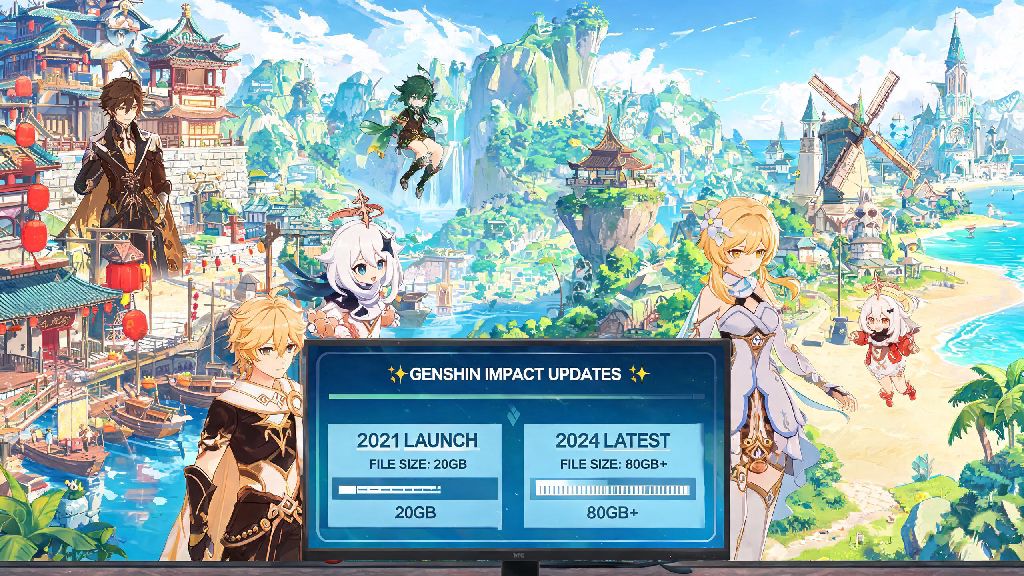
If you’ve ever tried to download a Genshin Impact update only to get hit with a “storage full” error, you’re not alone. I’ve spent dozens of hours deleting old indie games, moving vacation photos to cloud storage, and even uninstalling unused apps just to make room for a new region drop, and like most players, I’ve asked why is Genshin Impact so big compared to other open world games. What starts as a 20GB download on PC quickly balloons to 80GB+ after a few updates, and even mobile versions regularly take up 30GB or more of space. We’re breaking down the actual reasons for its massive size, plus actionable tips to cut down on storage usage without losing access to your favorite characters or story content.
Core Reasons Why Is Genshin Impact so Big Across All Devices
HoYoverse’s top design priority has always been consistent quality across every supported platform, and that choice is the biggest driver of the game’s large file size. Unlike many other gacha games that cut corners on asset quality to save space, Genshin Impact uses almost no reused assets across its different regions. High-resolution, region-specific asset packs are the single largest contributor to the game’s size: Sumeru’s desert and rainforest zones have completely unique plant, rock, and building models that aren’t used anywhere else in Teyvat, so they take up separate storage space.
Every new character also adds 100+ new animation files, from attack combos to idle reactions and story cutscene movements, and none of these are removed when new characters drop. The game is designed to run across 6+ different platforms, from low-end Android phones to high-end PS5 consoles, so it includes multiple versions of most assets to match different device performance levels, even if you only use one. It’s a bit annoying if you only play on one device, but it’s part of why the game works so well no matter what you’re playing on.
How Genshin Impact's Open World Design Drives Up File Size
Unlike many linear gacha games that only let you access small, instanced areas, Genshin's open world is fully explorable at all times, no matter how far you are in the main story. That means every single chest, puzzle, enemy spawn point, and hidden NPC is preloaded on your device, even if you haven’t unlocked that region yet. I didn’t even realize this was the case until I checked my file sizes after downloading the game on a new phone last year, and saw the full Natlan assets were already installed even though the region hadn’t launched yet.
Dual audio support (Chinese and Japanese voice lines) is another often overlooked factor here. Most players only use one voice language, but the game defaults to installing both for new downloads, adding 10-15GB of extra storage space on its own. Even environmental sound design adds to the size: every region has unique background tracks, ambient sound effects like wind through trees or waves on the beach, and character voice lines for random open world interactions, all of which are uncompressed for higher audio quality.
Hidden Content That Adds to Genshin Impact's Storage Footprint
A lot of the content taking up space on your device isn't even accessible to players at first glance, and most people don't even realize it's there. Pre-installed future update content is one of the biggest culprits. HoYoverse often adds assets for upcoming characters, events, and even small region expansions 1-2 updates before they go live, to cut down on download size when the update actually drops. That means you might have 5-10GB of content on your device that you can't even access for another month or two.
You also have uncompressed cutscene files for every story quest, archon quest, and limited time event that has ever run in the game. Even if you already completed a story quest years ago, the cutscene files are still stored on your device so you can rewatch them in the story archive any time you want. Many players don't know that event cutscenes from 2021 are still taking up space on their hard drive, even if they have no interest in rewatching them. Another hidden factor is cached data from daily commissions, events, and co-op sessions, which builds up over time if you don't clear it regularly. I cleared my cached data last month and freed up 7GB of space on my PC without losing any of my save data or progress, which was a huge surprise.
Easy Fixes to Reduce Genshin Impact's Size on Your Device
You don't have to delete your favorite games or move all your files to external storage just to make room for Genshin updates. There are simple, safe tweaks you can make to cut down on the game's storage footprint without losing any important progress or content. The best part? None of these tweaks will impact your game performance or access to core content. I’ve tested all of these fixes personally over the last year, and they’re all completely safe to use:
One important thing to note: never delete core game files manually unless you know exactly what you're doing, because you could corrupt your save data or break the game entirely. Stick to the in-game settings options for removing content if you're not familiar with file structures. I used all these fixes last month before the Fontaine update, and I managed to cut my Genshin file size from 82GB to 67GB, which gave me more than enough space for the update without deleting any other games.
At the end of the day, asking why is Genshin Impact so big usually comes down to HoYoverse prioritizing content quality and cross-platform accessibility over smaller file sizes. The massive storage footprint is the tradeoff for a constantly growing open world, high quality animations and audio, and seamless access to every part of Teyvat no matter what device you play on. If you're struggling with storage limits, the small tweaks we shared can free up plenty of space without forcing you to give up the game entirely, so you can keep exploring new regions and pulling for your favorite characters for years to come.