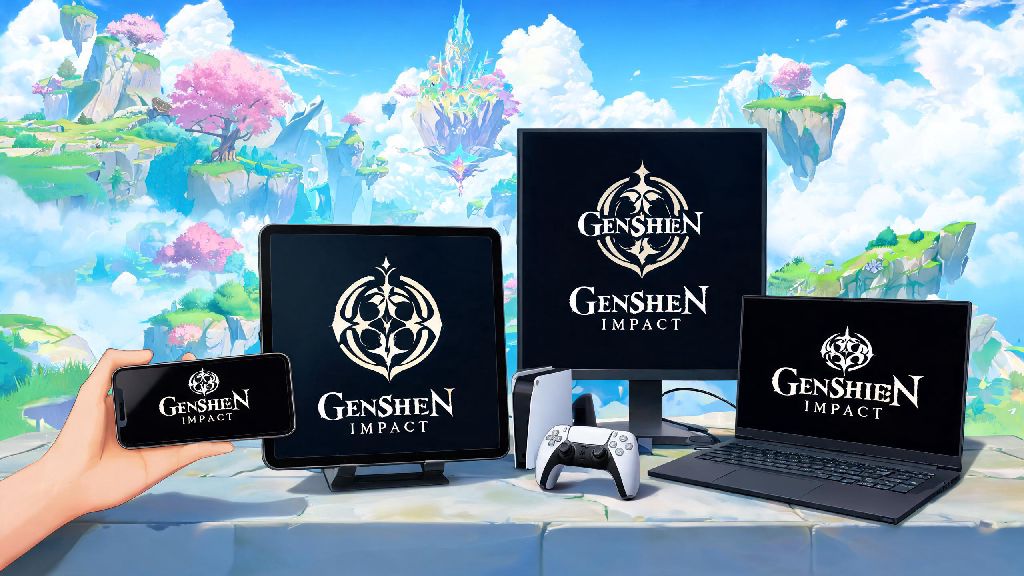
If you’ve just seen your friend gush about their newest 5-star Genshin pull or watched a viral clip of a spiral abyss clear, you’re probably ready to jump into Teyvat for yourself. The first question most new players ask before downloading is what platform is Genshin Impact on, and whether they can play it on the device they already own. HoYoverse built the game to be accessible to as many players as possible, so you’ve got far more options than you might expect, each with their own pros and cons depending on how you like to play. We’ll break down every supported platform, performance notes, cross-play rules, and even hidden details most new players miss before they install.
What Platform Is Genshin Impact On? Full List Of Supported Devices
HoYoverse regularly updates supported device lists as new hardware launches, but as of the latest version, all of the following devices can run Genshin Impact without any workarounds. You don’t need to buy a fancy new console or high-end PC to play, either—most mid-range mobile devices released in the last 4 years will run the game perfectly well for casual play. Let’s run through every official option first:
If you own a device not on this list, like a Linux PC, you can still run the game using compatibility tools, but these are not officially supported by HoYoverse. That means you won’t get customer support if you run into bugs, and there’s a small risk of account bans if anti-cheat flags your setup, so we only recommend workarounds for more tech-savvy players. You also won’t be able to access the game on Chromebooks unless they support Android app downloads, and even then performance is usually spotty for all but the highest-end models.
Key Performance Differences Across Genshin Impact Platforms
Just because you can run Genshin on multiple devices doesn’t mean every experience is the same. Your choice of platform will impact everything from load times to graphical fidelity to how comfortable you are doing long spiral abyss runs. We’ve tested the game on every supported platform over the last 3 years, so we can break down what to expect from each.
PC is the most flexible option by far, if you have a halfway decent build. You can tweak every graphical setting from shadow quality to anti-aliasing to hit your desired frame rate, and high-end PCs can run the game at 4K 60fps with all settings cranked with zero issues. The only downside is that you’re tied to a desk, so you can’t play on your commute or while you’re waiting in line somewhere. If you already own a gaming PC, this is easily the best pick for players who care most about visual quality.
Mobile is the most accessible option for most people, since you almost certainly have your phone on you at all times. Mid-range phones can run the game at 30fps on medium settings easily, and flagship phones can hit 60fps on high settings with only minor thermal throttling during long play sessions. The biggest downside here is control scheme—touch controls work fine for exploration and casual quests, but you’ll struggle to pull off advanced combat rotations on a touch screen if you’re trying to clear high-level spiral abyss floors. You can connect a controller to most mobile devices to fix this, but that takes away some of the portability perk.
PlayStation players get the most polished console experience, especially if you own a PS5. Load times are almost non-existent, the game runs at a steady 60fps on performance mode, and you get access to exclusive PlayStation-themed in-game items from time to time. The only catch is that PSN accounts are locked to PlayStation platforms, so you can’t transfer your progress to PC or mobile if you decide to switch later. That’s a huge downside for players who want to hop between devices depending on their mood.
Cross-Play And Cross-Save Rules For Genshin Impact
One of the biggest perks of Genshin’s multi-platform support is that you can play with friends no matter what device they use, as long as you’re on the same server. If you’ve been wondering what platform is Genshin Impact on for cross-play with friends, you’ll be happy to know there are almost no restrictions. Cross-play is enabled by default across all supported platforms, so you can join your friend’s world even if they’re on PC and you’re on mobile, no extra settings needed. The only exception is if you’re playing on a PlayStation account, you can still play with friends on other platforms, but your progress stays tied to your PSN account as we mentioned earlier.
Cross-save works for all accounts except PlayStation-linked ones, as long as you use the same HoYoverse account to log in across devices. That means you can do a few quests on your phone during your lunch break, then hop on your PC when you get home to do a spiral abyss run, and all your progress, pulls, and items will carry over automatically. You don’t have to pay anything extra to use cross-save, it’s a free feature built into the game for all eligible players.
Just make sure you never share your account log-in details with anyone, even if they say they’ll help you farm materials, because that’s against HoYoverse’s terms of service and can get your account banned permanently. If you want to switch from a PlayStation account to another platform later, you’ll have to start a new account from scratch, so keep that in mind if you’re picking a platform for the first time and think you might want to switch devices later.
How To Pick The Right Genshin Impact Platform For You
Now that you know all the available options and their pros and cons, picking the right platform comes down to your personal playstyle and what devices you already own. You don’t need to buy a new device just to play Genshin, unless your current phone or PC is extremely outdated. There’s no “best” platform for everyone, but there is a best option for your specific needs.
If you only have 10-15 minutes to play at a time, mostly to do daily commissions and collect rewards, mobile is the best pick for you. It’s easy to pull out your phone and knock out your dailies while you’re waiting for a bus or during a work break, no need to boot up a console or PC. The touch controls take a little getting used to, but they’re more than good enough for casual play.
If you care most about graphical quality and want to play for hours at a time doing quests, exploration, or spiral abyss runs, go for PC or PS5 if you already own one. The larger screen and better controls make long play sessions far more comfortable, and the higher graphical settings make exploring Teyvat feel far more immersive. You’ll also have an easier time nailing precise elemental reactions and character swaps with a keyboard and mouse or controller.
If you want to be able to play both at home and on the go, and don’t mind a bit of a learning curve with touch controls, use cross-save across PC and mobile. That’s the setup most long-time players use, because it gives you the best of both worlds without any extra cost. If you’re a brand new player, we recommend avoiding starting on PlayStation unless you’re 100% sure you’ll never want to play on another device, because the locked account can be a huge headache later on if you decide you want to take your account with you on your phone.
At the end of the day, HoYoverse has done an impressive job making Genshin Impact accessible to almost every type of player, no matter what device they own. We’ve covered what platform is Genshin Impact on, all the performance differences, cross-play rules, and how to pick the best option for your playstyle, so you don’t have to waste time guessing before you install. The best part is you can test the game for free on any supported platform before you invest any time or money into your account, so feel free to try it on a couple of devices to see which one feels best for you. Once you pick your platform, you’ll be ready to jump into Teyvat and start your adventure in no time.