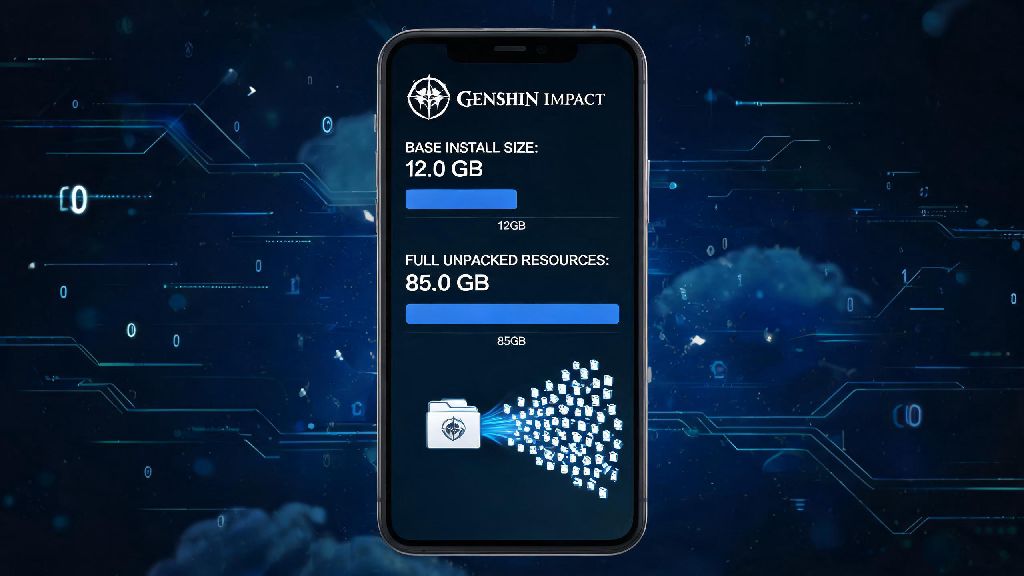
If you’ve ever tried to download a new Genshin Impact patch right before a limited banner drops, you’ve probably run into that frustrating “not enough storage” error. It’s easy to assume the 3GB listed on the app store is all you need, but that number barely scratches the surface of the actual space the game takes up. I’ve had friends delete half their photo library just to install a Sumeru update, only to realize they could have removed an unused voice pack instead. We’re breaking down exactly how much storage is Genshin Impact Mobile requires for both Android and iOS, plus all the hidden factors that can bloat its size over time.
Exact Storage Requirements for Genshin Impact Mobile by OS
The number you see on the Google Play Store or Apple App Store is not the full size of the game. The initial base download only includes the game launcher and core files, and you’ll have to download several gigabytes of additional in-game resources after you open the app for the first time. These resources include character models, map assets, cutscenes, and voice lines that aren’t included in the initial app download.
For iOS devices, the full base game with one voice pack installed currently takes up roughly 18 to 20GB of storage. For Android devices, the same base build takes up slightly more, between 20 and 22GB, due to differences in how Android app files are compressed. These numbers apply if you only have one voice language installed and no extra cached content from old events or quests.
One of the most common mistakes players make is only leaving exactly the base game size free on their device. You need at least 5GB of extra free storage on top of the full game size to install updates properly. Temporary files generated during the update process take up significant space, and if you don’t have that extra room, the update will fail halfway through, and you’ll have to start over.
Factors That Increase Genshin Impact Mobile Storage Over Time
Many players notice that the game takes up more and more space every few months, even if they don’t change any settings. That’s completely normal, and there are a few specific reasons the storage size creeps up over time. The biggest contributors are:
Most players don’t realize how much space extra voice packs take up, especially if they downloaded multiple out of curiosity when they first started playing. You don’t need to keep all four official voice packs installed if you only ever listen to one. Deleting the extra ones can free up 6 to 10GB of space instantly, with no downside for your gameplay experience.
How to Check How Much Storage is Genshin Impact Mobile Using on Your Device
If you’re not sure exactly how much space the game is taking up on your phone, you can check it in your device settings in just a few taps. For iOS users, open the Settings app, tap General, then tap iPhone Storage. Scroll down until you find Genshin Impact in the list of apps, and you’ll see the total storage used right next to the app icon.
For Android users, the process is slightly different depending on your device brand, but the general steps are the same. Open Settings, tap Apps or Apps & Notifications, then select See All Apps. Find Genshin Impact in the list, tap Storage, and you’ll see a breakdown of how much space the app itself is using, plus how much space is taken up by cached data and user files.
Never delete the app directly to clear cached data unless you’re prepared to redownload the entire game again. Even though your save data is stored on HoYoverse’s servers, deleting the app will remove all the installed game files, and you’ll have to go through the entire download process again when you reinstall it. You can clear unnecessary cached data directly in the game’s settings instead, which won’t delete any core game files.
Easy Tips to Reduce Genshin Impact Mobile Storage Usage Without Deleting the Game
If you’re running low on space and don’t want to delete other apps or photos to make room for the next Genshin patch, there are a few simple changes you can make to free up 5 to 10GB of space in just a few minutes. The fastest fix is to delete any unused voice packs from the game’s settings. Open Genshin Impact, go to Settings, tap Language, then select Manage Voice Files. You can delete any voice languages you don’t use from that menu instantly.
Another quick fix is to clear unused cached data from the game. Go to Settings, tap Other, then select Clear Cache. This will delete old cutscene files, event assets, and cached data from quests you completed months ago, with no impact on your save progress or core game files. Most players can free up 2 to 4GB of space with this one step alone.
Always install game updates over a stable Wi-Fi connection instead of cellular data. Downloading updates over cellular often leaves extra temporary files on your device that don’t get deleted automatically after the update finishes, which can take up extra space over time. If you have an Android device with expandable storage, you can also move the Genshin Impact app to an SD card to free up space on your internal storage, though you may notice slightly longer load times when you play.
For players who only care about playing the main story and don’t care about high-res graphics, you can also lower your in-game texture quality settings. Lower quality textures take up less cached space on your device, which can reduce the overall storage footprint by 1 to 2GB over time. You can always turn the settings back up later if you free up more space on your phone.
At the end of the day, how much storage is Genshin Impact Mobile takes up on your device depends entirely on how you choose to play. If you keep only one voice pack, clear your cache regularly, and leave extra room for updates, you can comfortably run the game on a device with 32GB of total storage with no issues. Taking a minute to check your storage before a new patch drops will save you the frustration of missing out on a limited banner because you ran out of space mid-update. These small tweaks make it easy to keep the game installed long-term, even if you don’t have a high-end phone with hundreds of gigabytes of storage.