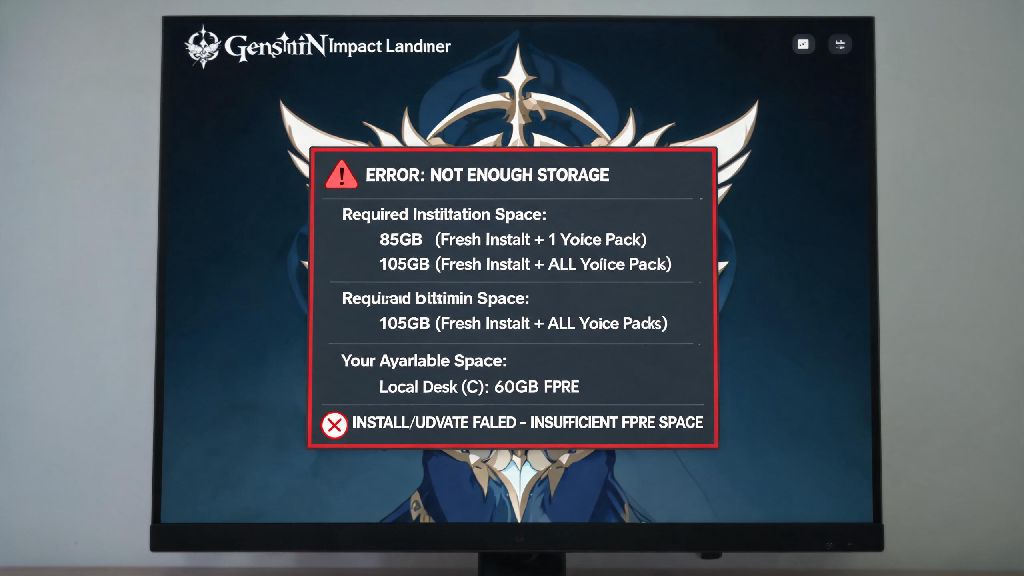
If you’ve ever clicked download on a new Genshin Impact region update only to get hit with a “not enough storage” error right as the countdown hits zero, you know how frustrating that experience is. As a live service game that adds dozens of hours of new content every six weeks, its file size has grown steadily since launch, and it can be hard to keep track of how much room you actually need to keep it running. That’s why one of the most common questions new and returning players ask before installing or updating is how much space does genshin impact take up on pc. This guide breaks down exactly what you can expect, plus simple fixes if you’re running low on drive space.
How Much Space Does Genshin Impact Take Up on PC for Fresh Installs and Updates
As of the latest version, a fresh install of Genshin Impact on PC takes up roughly 85GB of storage if you only keep one voice pack installed. That number jumps to around 105GB if you choose to download all four available voice packs (English, Japanese, Korean, and Chinese) for easy dub switching. You should always reserve at least 20GB of extra free space before running any major update, even if the listed patch size is smaller, because the launcher needs temporary storage to unpack and install files without errors.
A lot of players make the mistake of only clearing exactly the amount of space listed for an update, then run into crashes mid-install that force them to re-download the entire patch. The total storage you need can also vary slightly depending on which language you play in, and whether you keep old event replay files saved to your device. The full breakdown of what contributes to the total install size includes:
If you’re a new player downloading the game for the first time, it’s best to reserve at least 100GB of total space to avoid running into issues with the first few updates. That buffer will give you enough room for at least three major region updates before you need to clear more space or upgrade your storage.
Why Genshin Impact’s PC Storage Size Grows So Much Over Time
Unlike many other live service games that remove old limited-time event content after the event ends, Genshin Impact keeps almost all story-related content accessible permanently in your in-game archive. That means every character story quest, archon quest, and event cutscene you play stays saved in your game files, so you can go back and rewatch them whenever you want without re-downloading anything. Each new major region update also adds 10-15GB of new map assets, character models, and quest content that adds to the total file size.
You don’t have to keep voice packs for languages you never use installed to save space, and that’s the easiest way to cut down your total install size by 3-9GB in just a few clicks. A lot of players download multiple voice packs when they first start playing, then never switch away from their preferred dub, and forget those extra files are taking up valuable space. You can add or remove voice packs at any time directly from the in-game language settings menu.
The game will not delete old patch files automatically after an update is complete, so those temporary files can sit on your drive taking up 5-10GB of extra space for months if you don’t delete them manually. These files are completely safe to remove once you’ve confirmed the latest update runs properly, and they won’t affect your game performance or save data at all.
Minimum and Recommended PC Specs to Run Genshin Impact Smoothly
Storage space is just one part of what you need to run Genshin Impact well on PC, and it’s helpful to know the full spec requirements if you’re installing the game for the first time. The minimum specs are designed to let you run the game at 30FPS on low settings, and they’re fairly accessible even for older budget PCs. You’ll need an Intel Core i5 or equivalent processor, 8GB of RAM, an NVIDIA GT 1030 or equivalent graphics card, and at least 85GB of available storage space.
If you want to run the game at 60FPS on medium to high settings, the recommended specs are still pretty approachable for most modern builds. You’ll need an Intel Core i7 or equivalent processor, 16GB of RAM, an NVIDIA GTX 1060 6GB or equivalent graphics card, and at least 100GB of available storage space. Running Genshin Impact off an SSD instead of an HDD will cut loading times by up to 70%, even if all your other specs meet the recommended requirements. Teleporting between regions, loading into cutscenes, and opening the map all feel way snappier when the game is installed on an SSD.
You don’t need a high-end gaming PC to run Genshin Impact at 60FPS on medium settings, and even budget laptops from the last five years can handle the game perfectly well if you adjust the graphics settings to match your hardware. The game automatically detects your specs on first launch and sets graphics levels accordingly, so you don’t have to spend time tweaking settings unless you want to.
Easy Ways to Free Up Space for Genshin Impact on Your PC
If you’re running low on storage and don’t want to delete Genshin Impact to make room for the latest update, there are a few simple steps you can take to free up extra space quickly without breaking anything. First, delete any unused voice packs from the in-game settings menu, as we mentioned earlier. That’s the fastest way to free up 3-9GB of space in less than a minute, and you can always re-download the voice packs later if you want to switch dubs.
Next, clear out the Genshin Impact launcher’s temporary update files. You can find these in the game’s installation folder, under the “temp” subfolder. Make sure you’ve run the game at least once after the latest update to confirm there are no issues, then delete all the files in that temp folder to free up another 2-8GB of space. You can also clear your PC’s general temporary files folder to free up extra space from other programs too.
If you still need more space, go through your installed game library and uninstall any games you haven’t played in six months or more. A lot of players keep old AAA games installed that they never touch, and those can take up 50GB or more of space each. You can also move large personal files like old photos, videos, and work documents to an external hard drive or cloud storage to free up tens of GBs of space in one go. Never delete core Genshin Impact game files to free up space, as this will force you to re-download the entire game, so stick to the steps above if you’re not sure what files are safe to remove.
Next time you’re getting ready to install a new update or download the game for the first time, you’ll know exactly how much space does genshin impact take up on pc, and what you can do if you’re running low on room. If you plan on playing long-term, it’s a good idea to reserve roughly 120GB of total space for the game, which will cover you for at least a year of regular major updates before you need to clear more space. I’ve been playing since launch, and I clear unused files once every few months to keep my install size under 90GB, so it’s easy to manage once you know what to look for.