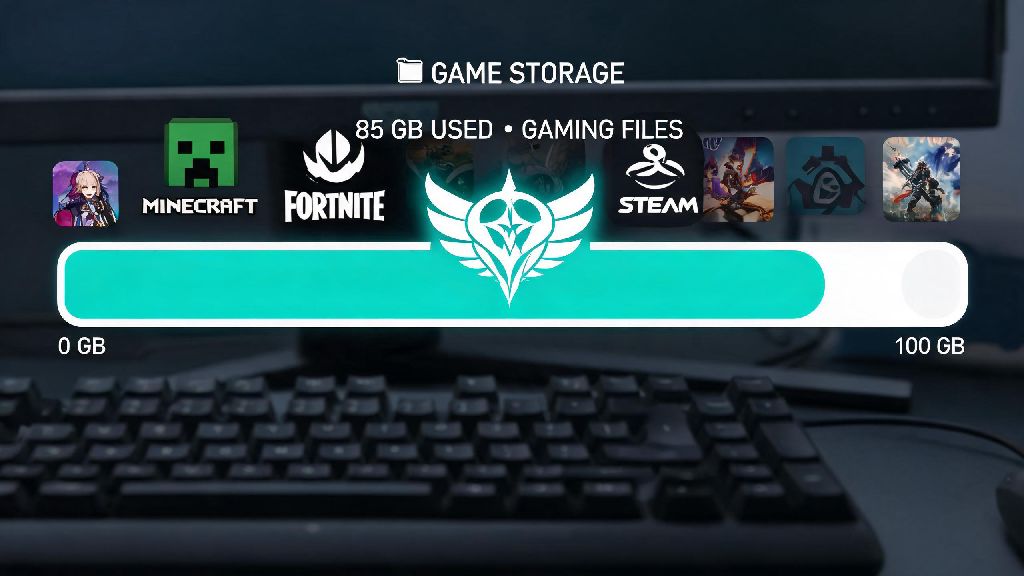
If you’ve ever sat down to download Genshin Impact for the first time, or stared at a “storage full” error right before a big version update drops, you’ve probably asked one simple question: how many gbs is genshin impact on pc. It’s a fair question too, because the game has grown massively since its 2020 launch, with new regions, characters, and story content added every six weeks. I’ve played the game on PC since launch, and I’ve had to shuffle my game library more than once to make room for big updates, so I’ve put together all the info you need to plan your storage properly, no last-minute deletions required.
How Many GBs Is Genshin Impact on PC for Base and Full Installs?
As of the latest version, a standard install of Genshin Impact on PC takes up roughly 85 GB of total space for a full base install with only one language voice pack downloaded. That number covers all current explorable regions, main story content, event assets that remain in the game permanently, and default texture settings. If you opt to download high-resolution texture packs for 4K gameplay, that adds another 10 to 12 GB to the total file size. You might see some sources claim the game only needs 30 or 40 GB of space, but those numbers are years out of date, from before regions like Sumeru and Fontaine were added to the game.
It’s important to note that the total file size isn’t the only number you need to pay attention to. The official launcher requires at least 95 GB of free space to install the game properly, because it uses temporary files during the installation process that get deleted once setup is complete. If you only have exactly 85 GB free, the installation will fail halfway through, and you’ll have to free up extra space before trying again. The same rule applies for pre-installing big version updates: you’ll usually need an extra 10 to 15 GB of free space to download and unpack the update files before they replace old game data.
What Contributes to Genshin Impact’s Large PC File Size?
It’s no secret that Genshin Impact is a huge game, and there are specific reasons it takes up so much space on your hard drive. If you’ve ever been shocked by how many GBs is Genshin Impact on PC when you check your file explorer, these extra assets are the main reason. Unlike many live service games that remove old event content after the event ends, HoYoverse keeps most story and asset files in the base game to let players revisit old cutscenes and quest lines whenever they want. Other big contributors to the file size include:
Unused language voice packs are another common source of extra storage use for many players. The game lets you download voice packs for English, Japanese, Korean, and Chinese, and each pack adds between 3 and 5 GB to your total file size. A lot of players download multiple voice packs out of curiosity when they first install the game, then never switch from their default language, leaving those extra gigabytes wasted on their hard drive.
Easy Ways to Reduce Genshin Impact’s PC Storage Footprint
If you’re tight on storage space, you don’t have to uninstall other games to make room for Genshin Impact updates. There are a few simple changes you can make to cut the total file size by 10 to 20 GB without affecting your gameplay experience at all. First, you can delete any voice packs for languages you don’t use directly from the game launcher. Just head to the settings menu in the launcher, navigate to the voice pack tab, and uninstall any packs you haven’t used in the last few months. You can always redownload them later if you want to switch languages, so you don’t have to worry about losing access permanently.
You should also clear your launcher cache every 2 to 3 months to get rid of old temporary files, leftover event data, and outdated patch files that the game no longer uses. The launcher has a built-in cache clearing tool in the settings menu, so it only takes a few clicks to complete. If you play on a lower-end PC and don’t need 4K textures, you can also opt to uninstall the high-resolution texture pack, which will free up another 10 to 12 GB of space with almost no noticeable difference in visual quality on 1080p or 1440p monitors. If you’ve been wondering how many GBs is Genshin Impact on PC after all these updates, these cuts can bring the total down to under 70 GB for casual players.
One small trick I use to save extra space is moving my Genshin Impact screenshot folder to an external hard drive every few months. The game saves all screenshots you take in photo mode directly to the game’s file folder by default, and those files can add up to several gigabytes over time if you take a lot of photos of your favorite characters or landscapes. You can change the default save location in the game’s settings to avoid having to move them manually later.
What to Expect for Future Genshin Impact Storage Requirements
Genshin Impact is still a growing game, and HoYoverse has confirmed that there are at least another 3 years of content planned before the main story wraps up. Each major version update, which releases every six weeks, adds between 3 and 8 GB of new content, depending on what’s included. Updates that add entirely new regions, like the upcoming Natlan update, usually add 7 to 8 GB of new assets, while mid-version updates that only include new events and character banners usually add 3 to 4 GB of space.
If you plan to keep playing Genshin Impact long term, you should allocate 150 GB of dedicated storage for the game to avoid having to shuffle your library every time a new update drops. That gives you plenty of room for future region updates, extra voice packs if you want them, and temporary installation files for pre-installed patches. HoYoverse does occasionally release optimization patches that compress old game files to reduce the total size, so you might see the total file size drop by a few GB every 6 to 12 months, but it’s better to plan for growth to avoid surprises.
You don’t need to buy a new hard drive just for Genshin Impact, of course. If you only play occasionally and don’t care about having access to all voice packs or 4K textures, you can easily keep the total file size under 70 GB for the foreseeable future with the storage tips we covered earlier. I’ve kept my own install size around 75 GB for the last year by only keeping the Japanese voice pack and skipping the high-resolution texture pack, and I haven’t run into any storage issues even during big region updates.
At the end of the day, knowing how many gbs is genshin impact on pc takes away a lot of the stress of planning for new updates and installing the game for the first time. The 85 GB base size might seem intimidating at first, but there are plenty of easy ways to cut that number down if you’re tight on space, and allocating a little extra room for future updates means you won’t have to delete your other favorite games right when a new character banner drops. If you’ve been holding off on downloading the game because of storage concerns, these tips make it far more accessible even if you don’t have a ton of extra space on your PC.