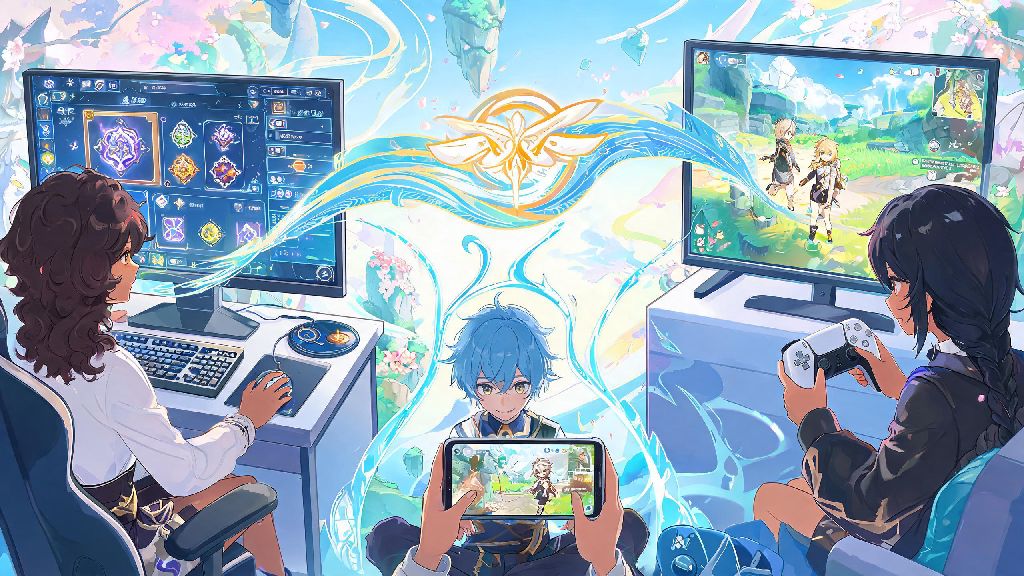
Genshin Impact is one of the few gacha games available on almost every major consumer platform, so it’s no surprise most players hop between devices regularly. You might grind artifact domains on your PC after work, knock out daily commissions on your phone while waiting for coffee, or play co-op with friends on a PlayStation during weekend hangouts. Tons of players ask does genshin impact have cross progression, because no one wants to restart their journey with a level 1 Traveler every time they switch devices. This guide breaks down exactly what syncs, what doesn’t, how to set up your accounts correctly, and how to fix common issues if your saves don’t load properly.
Does Genshin Impact Have Cross Progression Across All Platforms?
Cross progression is fully supported between all non-PlayStation platforms, including Windows PC, iOS, and Android. That means if you start a spiral abyss run on your Android phone during your commute, you can log into the same HoYoverse account on your home PC later that day and pick up right where you left off. All your earned primogems, characters, weapons, adventure rank, unlocked waypoints, and story progress will carry over without any extra work on your part, as long as you’re using the same account login.
PlayStation support is a bit more complicated, thanks to Sony’s platform policies. You can link your PSN account to your HoYoverse account, but the sync only works one way for most players. If you first started playing Genshin on PC or mobile, you can carry that progress over to PlayStation only if you link your HoYoverse account to your PSN before you launch Genshin for the first time on your PlayStation. If you already started playing on PlayStation before linking, your PS save will be tied to that PSN account, and you won’t be able to overwrite it with your existing PC/mobile save.
For the upcoming Nintendo Switch release of Genshin Impact, HoYoverse has confirmed that cross progression will be supported between Switch and other non-PlayStation platforms, just like PC and mobile. We don’t have exact details on how the linking process will work yet, but it’s safe to assume it will follow the same HoYoverse account linking system that’s used for other platforms.
How to Set Up Cross Progression for Genshin Impact
Setting up cross progression is simple if you follow the right steps, and it only takes a few minutes to complete. Always link your account before making in-game purchases, because unlinked guest accounts can lose all their progress if you uninstall the game or switch devices. You don’t want to spend $50 on Genesis Crystals only to lose them because you were playing on a guest account.
Follow these steps to set up cross save sync across all your supported devices:
For PlayStation users, the linking process is a bit different. When you first launch Genshin Impact on your PlayStation, you’ll get a prompt to link your HoYoverse account. Enter the login details for the account you use on PC or mobile, and your save will sync automatically. If you skipped that prompt when you first launched the game, you can still link your account later by going to Settings > Account > User Center in the PlayStation version of the game.
Key Cross Progression Limitations You Should Know
While Genshin’s cross progression system is one of the most robust in the gacha game space, there are a few important limitations that can catch new players off guard. These limitations are almost all tied to platform policies, not HoYoverse’s own rules, so they’re unlikely to change any time soon.
PlayStation save data does not transfer to other platforms fully. If you first started playing Genshin on PlayStation, you can link your PSN account to your HoYoverse account to access your progress on PC and mobile, but you won’t be able to carry any PlayStation-exclusive content over to other platforms. That includes the PlayStation-exclusive glider, PS Plus bundle rewards, and any Genesis Crystals you purchased on the PlayStation Store.
Purchased Genesis Crystals are tied to the platform you bought them on. This is the most common limitation players run into, and it’s true for all platforms, not just PlayStation. If you buy $100 worth of Genesis Crystals on the iOS App Store, you can only spend those crystals on an iOS device. You’ll still see your total Genesis Crystal count on other platforms, but the portion you bought on iOS will be grayed out and unavailable until you log back into an iOS device. Only primogems you earn through gameplay, events, or redeemable codes are fully cross-platform.
Event rewards tied to specific platform promotions don't carry over. For example, if you claim a free 4-star character and 10 wishes through an Amazon Prime Gaming promotion, those rewards will be available on all platforms, but if you claim a PlayStation Plus exclusive bundle of primogems and level up materials, those will only be available on your PlayStation account. The same goes for Google Play exclusive promotions and Apple App Store limited-time offers.
You also can’t link the same HoYoverse account to multiple PSN IDs, or multiple HoYoverse accounts to the same PSN ID. Once you link a PSN account to a HoYoverse account, that link is permanent unless you contact support to request an unlink, and support will only approve unlink requests if you can provide full proof of account ownership for both accounts.
Troubleshooting Common Cross Progression Issues
Even if you follow all the setup steps correctly, you might run into occasional sync issues, especially if you play on multiple devices regularly. Most of these issues are easy to fix if you know what to look for, and you won’t lose any progress as long as you don’t rush through the sync prompts.
The most common issue is the save conflict prompt, which pops up when the game detects two different save files for the same account with different playtimes. This usually happens if you play on one device without an internet connection, then log into another device later. Never select the older save file if you get a sync conflict prompt, because that will overwrite your more recent progress and you won’t be able to recover it. If you’re not sure which save is newer, check the last played timestamp listed under each save option before you select.
If your purchased content is missing when you log into a new device, first double check that you’re logged into the same account you used to make the purchase. If you’re sure you’re on the right account, remember that Genesis Crystals are tied to the platform you bought them on, so you’ll need to log back into that platform to access them. I once spent 15 minutes panicking because I couldn’t find the Genesis Crystals I bought on my Android phone when I logged into my PC, until I remembered the platform locking rule.
If you can’t link your PSN account to your HoYoverse account, it’s almost always because that PSN ID is already linked to a different HoYoverse account. A lot of players created a random HoYoverse account when they first started playing on PlayStation years ago, and forgot about it when they made a new main account on PC. If that’s the case, you can contact HoYoverse support to request an unlink, but you’ll need to provide proof of ownership for both the PSN account and the HoYoverse account you want to link, like purchase receipts, account registration dates, and linked email addresses.
If your save data is missing entirely when you log into a new device, you most likely created a new account by mistake. This is super common on iOS devices, where the game auto-signs into your Apple ID by default. If that happens, just log out of the new account, select the correct login method for your main account, and your save should load right away.
If you’ve spent the last few months building out your perfect team, farming 5-star artifacts, and unlocking every waypoint in Teyvat, you don’t want to lose all that progress just because you picked up a new device. Now that you know the answer to does genshin impact have cross progression, you can set up your account links confidently, hop between devices without stress, and make sure you never miss a daily commission or limited-time event. Just remember the small limitations around PlayStation and platform-specific purchases, and you’ll have a seamless experience no matter what device you’re playing on. If you run into any issues you can’t fix on your own, HoYoverse’s support team is usually quick to respond as long as you have proof of account ownership.