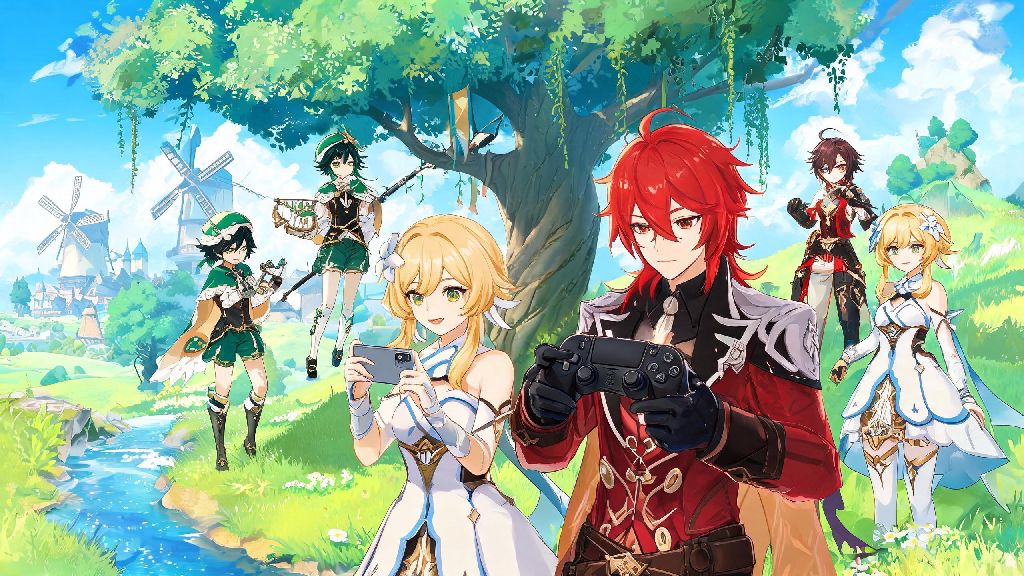
If you’re a frequent Genshin Impact player who hops between your phone during commutes and your PS4 when you’re at home, you’ve probably wondered can mobile Genshin Impact play with PS4 users when you want to run domains or explore Teyvat together. I’ve tested crossplay across every Genshin platform over the past three years, so I’m breaking down exactly what works, what doesn’t, and how to avoid common pitfalls when playing with friends on different devices. You don’t need any fancy hacks or workarounds to make this happen, but there are a few official rules you have to follow first.
Can Mobile Genshin Impact Play With PS4? The Short Answer
Yes, full crossplay functionality is supported between mobile and PS4 versions of Genshin Impact, with no paywalls or hidden restrictions blocking access to co-op features. HoYoverse rolled out universal crossplay across all supported platforms shortly after the game’s global launch, so players on any device can team up as long as they meet a few basic requirements. Crossplay between mobile and PS4 works for all multiplayer activities, including domains, world exploration, spiral abyss co-op, and limited-time event missions.
The only core requirements are that both players are on the same regional server, running the exact same game version, and have reached Adventure Rank 16, the minimum threshold to unlock multiplayer features. If you’re on the North America server on mobile and your friend is on the Europe server on PS4, you won’t be able to connect, even if you add each other as friends. The same goes for version mismatches: if one of you hasn’t installed the latest patch, you’ll get an error when trying to join each other’s worlds.
How to Set Up Crossplay Between Mobile and PS4 Genshin Impact
Setting up crossplay between mobile and PS4 only takes a few minutes, as long as you know the right steps to follow. The most common mistake new crossplay users make is trying to add friends using their PSN ID or mobile game center username, which won’t work for cross-platform connections. You can only add cross-platform friends using their 9-digit in-game UID, not their PSN ID or mobile game center username.
Follow these simple steps to connect with friends across mobile and PS4:
So if you’ve been trying to add a friend using their PSN name and it’s not working, that’s why. If you still can’t find their profile after entering their UID, double check that you’re both on the same server, and that they haven’t hidden their UID in their privacy settings. You can adjust your UID visibility at any time in the account settings menu if you want to avoid random friend requests.
Limitations and Common Issues With Mobile-PS4 Genshin Crossplay
While crossplay itself works seamlessly, there are a few limitations you should be aware of before you start playing with friends across devices. The biggest one is cross-save functionality, which is not enabled by default for PS4 accounts. Cross-save between PS4 and mobile is not enabled by default, so you’ll need to manually link your PSN account to your HoYoverse account to carry over progress across devices. If you try to log into your HoYoverse account on mobile without linking your PSN first, you’ll be prompted to start a new game, which can be frustrating if you’ve already put hundreds of hours into your PS4 account.
Another common issue is performance disparities between platforms. Mobile players on cellular data often experience higher ping or unexpected disconnects, which can throw off the whole party during challenging boss fights or domain runs. PS4 players usually have more stable connections, but older PS4 models may run into frame drops during busy co-op sessions with lots of particle effects. I’ve also run into issues with child PSN accounts, which have default multiplayer restrictions from Sony that block crossplay even if the player has reached Adventure Rank 16. If you’re playing with a younger friend who can’t join your party, have them check their PS4 parental control settings first.
You also won’t be able to use native PS4 voice chat with mobile players. The PS4’s voice chat feature only works with other PSN users, so mobile players won’t be able to join those calls even if they’re in the same in-game party. That’s a small annoyance, but it’s easy to work around with third-party apps.
Tips for a Smooth Mobile-PS4 Crossplay Experience
With a few small adjustments, you can make your crossplay sessions run almost as smoothly as playing with friends on the same platform. First, if you’re playing on mobile, always connect to a stable Wi-Fi network instead of cellular data if you can. Cellular connections are far more prone to lag spikes and disconnects, which can waste your resin if you get kicked out mid-domain. Before starting a challenging co-op domain or boss fight, have all players check their ping in the settings menu to avoid mid-battle disconnects that waste your resin. If anyone’s ping is over 200ms, ask them to switch networks or move closer to their router before you start.
Mobile players should also lower their graphics settings to medium or low before joining co-op sessions. You don’t need max graphics to run domains, and lowering settings will reduce frame drops and make your gameplay far smoother, with no impact on the rest of the party. For PS4 players, make sure your system software and Genshin Impact installation are fully updated before you start playing. Outdated system software often causes random crashes during multiplayer sessions, which can be frustrating for everyone in the party.
Use a separate voice chat app like Discord if you want to talk to your party, as native PS4 voice chat does not support cross-platform communication with mobile users. Most regular Genshin co-op groups already use Discord anyway, so this is usually a quick fix. If you don’t want to use a third-party app, the in-game text chat works perfectly fine for coordinating mechanics and strategy during fights.
At the end of the day, the answer to can mobile Genshin Impact play with PS4 is a resounding yes, as long as you follow HoYoverse’s simple server, version, and account rules. You don’t need to pay for any extra services or use workarounds to play with your friends across devices, and the setup process only takes a minute or two once you know where to find your UID. Whether you’re grinding artifacts on your PS4 at home or doing daily commissions on your phone on your lunch break, you can easily team up with friends no matter what platform they prefer. Just remember to double check your game version and server before sending a friend request, and you’ll be exploring Teyvat together in no time.